
for macOS
Smackintosh
Slap your MacBook. It reacts.
The idea
Smack your MacBook. It smacks back.
Every Apple Silicon MacBook has a motion sensor sitting there doing nothing fun. Smackintosh turns it into a slap detector. Hit the side of your laptop and it plays a sound: a classic slap, a voice yelping "Ouch!", or anything you record yourself. It is useless. It is delightful. It lives quietly in your menu bar until the moment you need it. Nobody asked for this, which is rather the point.
The smack
Hit the side of your laptop. It reacts in an instant.
Make it yours
Type it, record it, or drop in a file. Any sound becomes the reaction.
Fifteen languages
Native reaction packs, curses included. Not safe for work, by design.
Out of the way
Lives in the menu bar, silent until the moment you need it.
Make it react
Slap detection
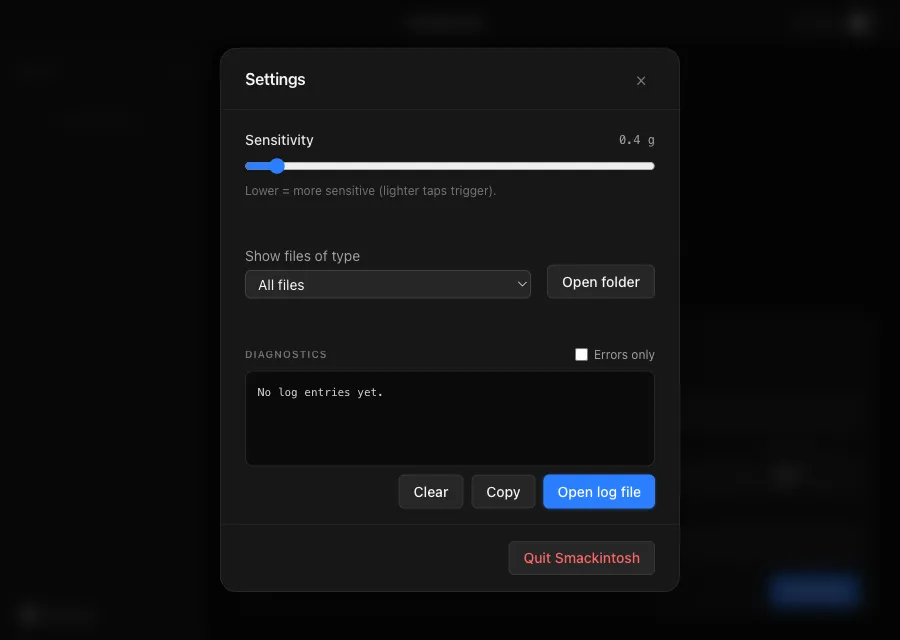
Smackintosh reads the Apple Silicon accelerometer and turns a smack on the chassis into a sound. No extra hardware, no peripherals. Tune the sensitivity so a gentle tap sets it off, or only a real wallop does.
Make it yours
Sound packs
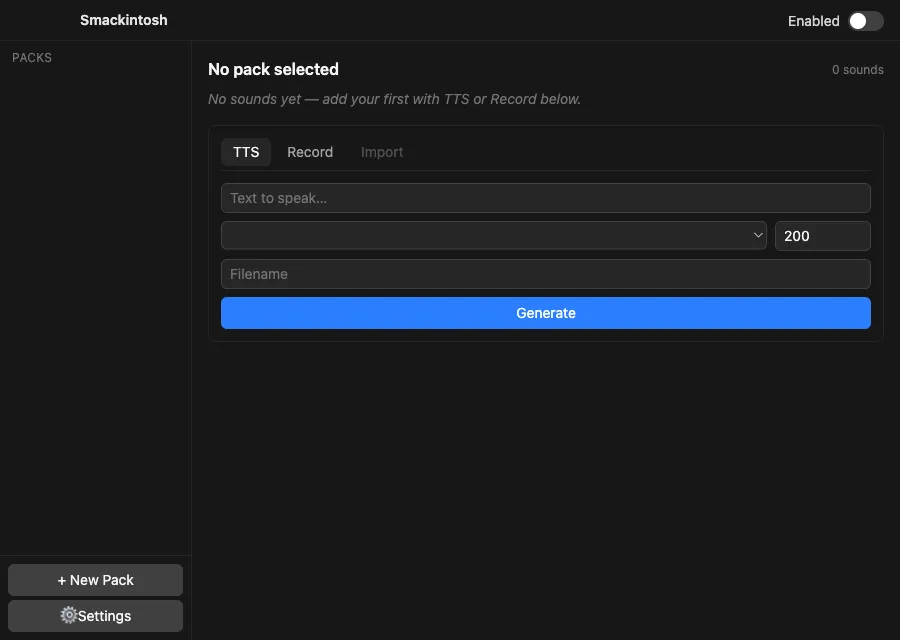
Three packs ship with it: synthesized slaps, voice reactions, and an empty one for you. Generate new lines in any built-in macOS voice, record from a mic, or import a clip, then trim and save into as many packs as you like.
Features
Reads the motion sensor
Turns your Apple Silicon MacBook's built-in accelerometer into a slap detector. Smack the chassis, hear a sound. No extra hardware.
Any sound you want
Generate lines in any built-in macOS voice, record from a microphone, or import a clip. Trim it, then save into one or more packs.
Open source, built from scratch
Written from zero under the MIT license, inspired by SlapMac. The codebase is meant to be extended, and contributions are welcome.
Smackintosh is a native Mac toy that does exactly one absurd thing, and does it well. Smack the side of your MacBook and it plays a sound. That is the whole pitch, and somehow it is enough.
How it works
- It reads your Apple Silicon MacBook’s built-in accelerometer through macOS.
- When it feels a smack on the chassis, it fires a sound from the active pack.
- You decide what that sound is, and how hard you have to hit to set it off.
Make your own sounds
Every sound goes through the same flow: configure, draft, preview, trim, save. Write a line and have any macOS voice speak it, hold a button to record from a microphone, or drop in a wav, aiff, m4a, or mp3. Trim it on a timeline and save it into one or more packs at once. Three packs ship to start: synthesized slaps, voice reactions, and an empty one for you, plus an optional script that seeds fifteen native-language reaction packs.
Requirements
- An Apple Silicon Mac, M1 or later. The sensor is Apple Silicon only, by design.
- macOS 13 Ventura or later.
ffmpegfor recording and trimming (brew install ffmpeg). Everything else works without it.
Open source
Smackintosh is open source under the MIT license. I built it from scratch, inspired by SlapMac, as a native Mac app with a Go core and a TypeScript front end. It is made to be extended: new sound sources, new pack types, new reactions. Contributions are welcome.
The public repository and a signed, notarized DMG are on the way. Until then, if the idea made you smile, you can back the build through Buy Me a Coffee.